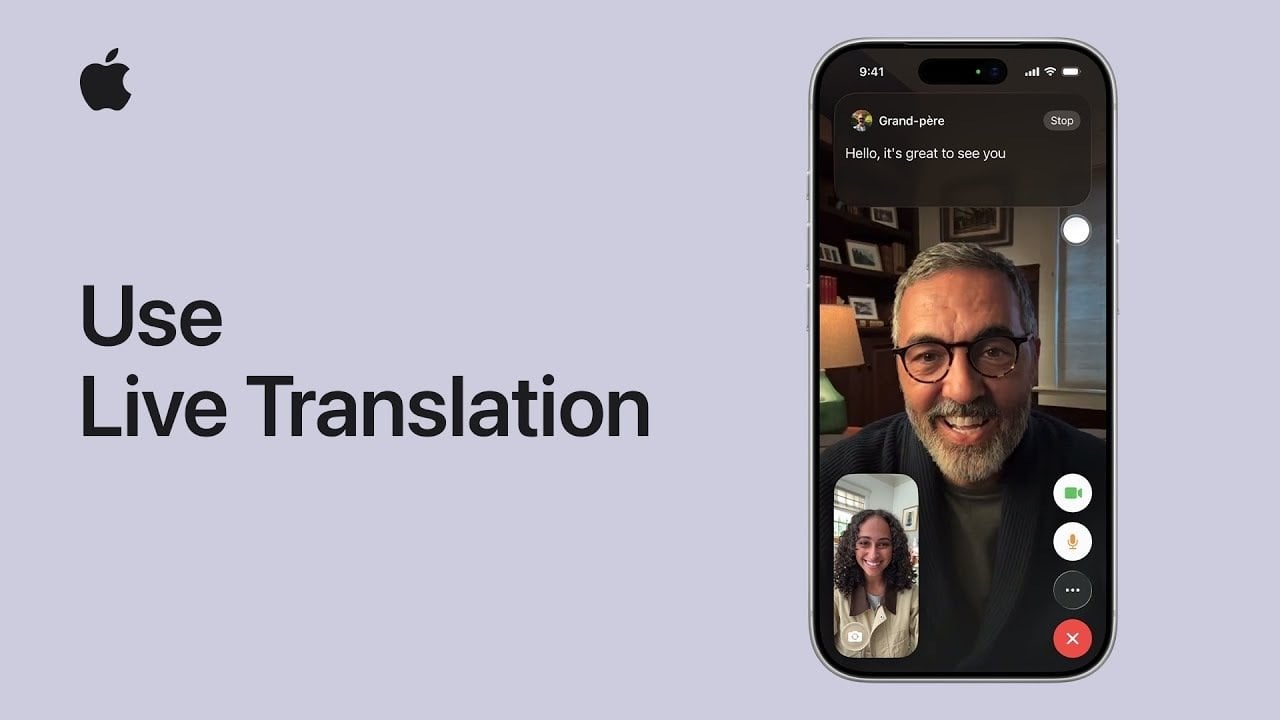
In a world that is becoming increasingly interconnected, the ability to communicate across language barriers is crucial. The Live Translation iPhone feature, introduced with the latest iOS 26, is redefining how we interact globally. By harnessing advanced Apple Intelligence and sophisticated language processing technologies, this tool facilitates real-time communication in a variety of contexts—from texting to video calls. Imagine effortlessly conversing with someone who speaks a different language, whether for personal or professional purposes. This revolutionary feature not only empowers users to overcome language obstacles but also enhances their global communication experience.
What You Need to Know About Live Translation on Your iPhone
To effectively use the Live Translation iPhone feature, your device must meet certain requirements. Ensure that:
- Your device is running iOS 26, iPadOS 26, or macOS Tahoe.
- Apple Intelligence is enabled to unlock the feature’s advanced capabilities.
- For in-person conversations, connecting AirPods Pro 2 or later, or AirPods 4 is essential, as these models enhance translation effectiveness through active noise cancellation.
By meeting these requirements, you’ll guarantee a seamless translation experience that enhances your interactions.
Using Live Translation in Text Messages
The integration of Live Translation iPhone into the Messages app offers a seamless texting experience that accommodates multiple languages. Here’s how to utilize this extraordinary feature:
- Enable automatic translation in your conversation settings.
- The system detects the languages in use or allows for manual selection.
With real-time translations displayed side by side, this feature enhances clarity in multilingual texting, ensuring both parties can engage effectively, minimizing misunderstandings.
Enhancing Phone Call Communication with Live Translation
Live Translation extends its capabilities to phone calls, making it easier than ever to connect with speakers of different languages. To activate it:
- Turn on the feature during the call for spoken translations.
- If you’re not using headphones, the system automatically enables speaker mode for better accessibility.
Onscreen transcriptions accompany the spoken translations, adding a visual element that allows you to follow the conversation in real time. This holistic approach to communication ensures that you and your conversational partner remain engaged and understand each other clearly.
FaceTime and Live Translation: A Perfect Match
For those utilizing FaceTime, Live Translation offers an enriching experience, especially when non-verbal cues are essential during conversations. Here’s how you can benefit:
- Enable the feature to see live translated captions displayed directly on your screen while on a FaceTime call.
- Captions provide immediate translations, promoting natural flow and understanding in conversations.
By streamlining multilingual interactions, this capability significantly enhances the quality of your virtual conversations.
Using Live Translation for In-Person Conversations
When meeting someone face-to-face, the Live Translation iPhone feature continues to impress. Here’s how to engage in real-time conversations:
- Pair your updated AirPods with your device and open the Translate app.
- Enjoy spoken translations, while onscreen transcriptions offer additional clarity.
This feature is invaluable for various contexts, such as traveling or business meetings, where language differences could otherwise create barriers.
Important Considerations When Using Live Translation
As you explore the Live Translation iPhone feature, keep the following in mind:
- The feature is currently in beta and may not be fully supported in all regions or for every language.
- You’ll need to download necessary language models in advance for offline use.
For more detailed guidance, refer to Apple’s official support page, which provides up-to-date information about system requirements and available languages. By understanding these points, you can fully leverage the transformative power of Live Translation on your iPhone.
To deepen this topic, check our detailed analyses on Gadgets & Devices section