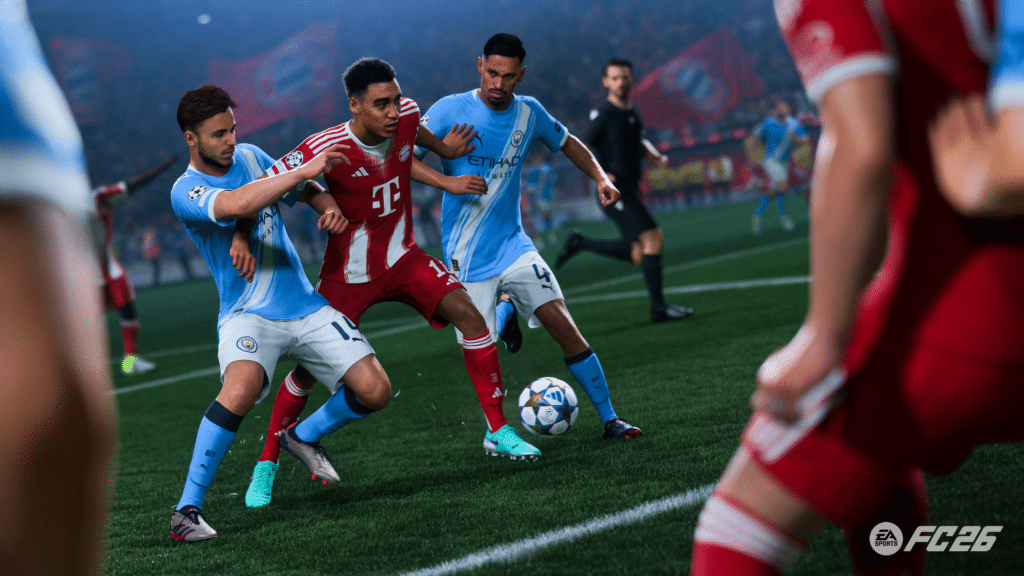
In the highly competitive world of EA FC 26 settings, players are always on the lookout for changes that can give them an edge. Did you know that a simple adjustment in your game settings can significantly improve your performance? With the recent release of EA FC 26, gamers have been buzzing about the optimal settings to enhance their experience on the pitch. In this article, we will dive into essential configurations that not only make the game visually stunning but also how to maximize your gameplay efficiency. From turning off unnecessary graphical elements to tweaking camera settings, let’s explore how to level up your gaming tactics.
Enhancing Your Visual Experience with EA FC 26 Settings
One of the first tweaks you should consider in your EA FC 26 settings is turning off stadium shadows. This simple adjustment improves visual clarity, allowing players to focus on the game without distractions. By toggling this feature off, you can fully enjoy legendary stadiums such as Real Madrid’s Bernabeu without the annoyance of changing light conditions. Similarly, switching off scrolling lineups is another smart move, ensuring that crucial game information doesn’t obstruct your view.
But it doesn’t stop there. For Career Mode enthusiasts, enhancing the crowd atmosphere can make all the difference during your matches. Adjust your audio settings by enabling the ‘Beyond Broadcast’ option, which heightens the crowd noise, bringing an authentic stadium experience into your living room. Another useful setting is disabling the ‘hold to skip’ option, allowing you to breeze through cut scenes much quicker, keeping you engaged in the action.
Optimal Camera Settings for Competitive Advantage
Your camera settings can dramatically impact your gameplay in EA FC 26 settings. While preferences may vary, most professional players advocate for the Tele Broadcast camera preset with the height set to 20 and zoom set to 0. Some argue that Height 18 and Zoom 2 also work well, but the key is to find a setup that allows you to see the action clearly without compromising your gameplay.
Additionally, British esports pro Tom Stokes recommends a few essential camera adjustments. He suggests disabling the UT Competitive Camera, Power Shot Zoom, and Camera Shake Visuals. These modifications help simplify your view and enhance focus during intense gameplay moments, giving you the competitive edge you need to outperform your opponents.
Improving Performance with Strategic Settings Adjustments
To elevate your gameplay consistency in EA FC 26 settings, particularly in online matches, graphic settings play a crucial role. One popular recommendation is to shift the Graphics Mode from Enhanced Visuals to Favor Resolution. This adjustment can potentially lead to smoother gameplay, crucial in high-stakes online play. However, it’s worth noting that some players suggest both modes achieve similar frame rates, so testing both settings to determine what feels best for you is encouraged.
If you’re on PC, specific optimizations can push your gameplay performance to new heights. Content creator Krasimir ‘Krasi’ Ivanov recently shared valuable tips that could boost your FPS up to 300, creating a more responsive and visually appealing game experience. Exploring your Nvidia and Windows settings will also contribute significantly to optimizing performance.
Setting Yourself Up for Success
Getting ahead in EA FC 26 settings isn’t just about visuals or audio; gameplay settings can also enhance your skills. Start by turning off certain assistance features, which can give more control over player movements. Opt for Precision Shooting, Tactical Defending, and a Semi option for Cross Assistance. While this may take time to master, increasing your ability to shoot accurately and defend effectively will elevate your game.
The debate continues regarding whether to use Tactical or Advanced Defending. While Advanced provides more options, it may require an advanced skill set. Hence, sticking with Tactical Defending might yield better short-term results for most players. Master these settings, and you’ll find yourself more in control of the game than ever before.
Conclusion: Maximize Your EA FC 26 Experience
Whether you are aiming for that elusive online win or simply enjoy a well-rounded gaming experience, the right EA FC 26 settings can truly transform your gameplay. These adjustments not only improve visual clarity but also enhance your interaction and immersion within the game. For more insights on how to navigate the world of Esports and enhance your gaming skills, be sure to explore our other articles, such as our analysis of Dota 2’s popularity or dive into the world of NBA’s unforgettable franchises.
To deepen this topic, check our detailed analyses on Esports section.