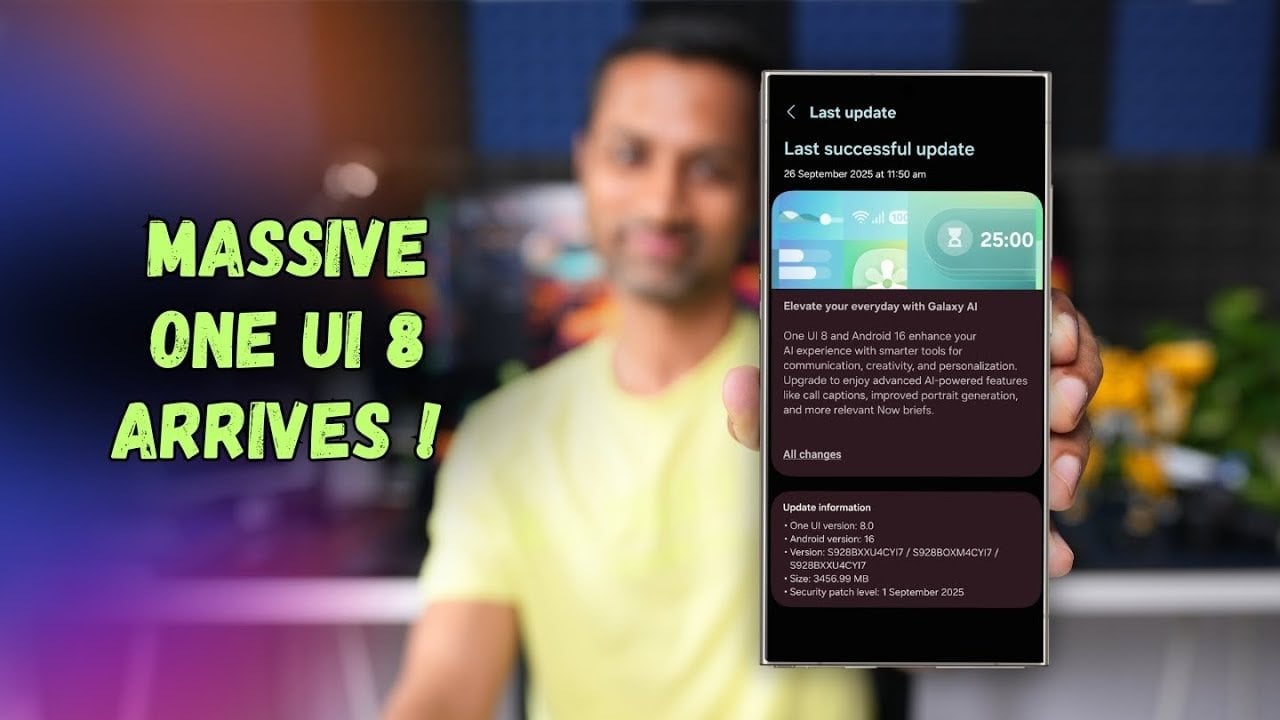
As technology rapidly evolves, mobile devices increasingly play a vital role in our lives. The Samsung Galaxy S24 series has taken a significant leap forward with the rollout of One UI 8, a game-changing update that promises to enhance usability, security, and overall performance. Released in September 2025, this update is tailored specifically for the Samsung Galaxy S24, S24 Plus, and S24 Ultra, ensuring that users experience a more intuitive and efficient smartphone. With a focus on artificial intelligence and user-friendly features, it brings forth a myriad of tools designed to make daily tasks easier and more enjoyable.
Unleashing AI-Powered Features for the Samsung Galaxy S24
One of the standout attributes of One UI 8 is its incorporation of AI-powered features, enhancing user experience with intuitive functionalities. Here are some key highlights:
- Call Captions: This feature provides real-time transcription during phone calls, improving communication accessibility, especially in noisy environments.
- Enhanced Portrait Generation: With advanced AI tools, capturing professional-quality images becomes effortless.
- “Now Brief” Widget: Personalized updates on news, weather, and calendar events keep you informed and organized.
These features transform the Samsung Galaxy S24 into a device that not only meets user needs but also anticipates them, acting almost like a personal assistant.
Fortifying Security with Enhanced Features
Security is a cornerstone of One UI 8, boasting significant upgrades to protect your sensitive information. Notable enhancements include:
- September 2025 Security Patch: This ensures that all vulnerabilities are addressed, keeping your device safe.
- Enhanced Secure Folder: Isolates sensitive data with Android’s private profile system for added protection.
- Biometric Separation: Distinct biometric data can be assigned for Secure Folder access, enhancing the security level.
These updates are essential for users who prioritize data privacy, making the Samsung Galaxy S24 a more secure choice for both personal and professional use.
Refined Design and Enhanced Usability
One UI 8 revamps the overall appearance and functionality of the Samsung Galaxy S24, focusing on an intuitive layout:
- Adaptive Lock Screen Clock: The clock design adjusts to your wallpaper for a personalized touch.
- Dynamic Wallpapers: Users can create customized gradients for a unique home screen experience.
- Improved Multitasking: A revamped split-screen mode enhances task management.
These aesthetic and functional improvements make it easier to navigate your device while also delivering a visually appealing user experience.
Amplifying Camera and Media Capabilities
The Samsung Galaxy S24 series excels in photography and videography with One UI 8’s advanced tools:
- Quick Camera Controls: Access essential settings swiftly to capture the perfect moment.
- Pro Mode Enhancements: Gain greater control over lighting for stunning professional results.
- Audio Eraser Tool: This feature removes background noise from videos, ensuring high-quality audio.
These enhancements position the Samsung Galaxy S24 series as a formidable tool for both casual photographers and content creators.
Streamlined Samsung Apps for Better User Experience
Several Samsung apps receive significant updates in One UI 8, enhancing overall usability:
- Samsung Notes: Sticky notes make idea capturing quick and easy.
- Redesigned Reminder App: Integrates seamlessly with the Calendar app for streamlined task management.
- Galaxy Buds Integration: Quick settings access for Galaxy Buds allows for effortless audio control.
These updates ensure that the Samsung ecosystem provides a cohesive and user-friendly experience across the Galaxy S24 series.
Optimizing Connectivity and Performance
Finally, One UI 8 enhances overall connectivity and performance, leading to a more seamless user experience:
- Auracast QR Connections: QR code support simplifies the process of joining shared audio streams.
- Fluid Animations: Improved transitions reduce lag and provide a smoother interface.
- Optimized App Performance: Regular updates via the Galaxy Store ensure that all apps run at peak functionality.
These features make the Samsung Galaxy S24 an efficient and reliable device for everyday use.
For more information on the incredible features of the One UI 8, check out how the latest updates compare to previous versions, or read our analysis of the Samsung Galaxy S26 Ultra, which also showcases groundbreaking advancements in smartphone technology.
To deepen this topic, check our detailed analyses on Gadgets & Devices section