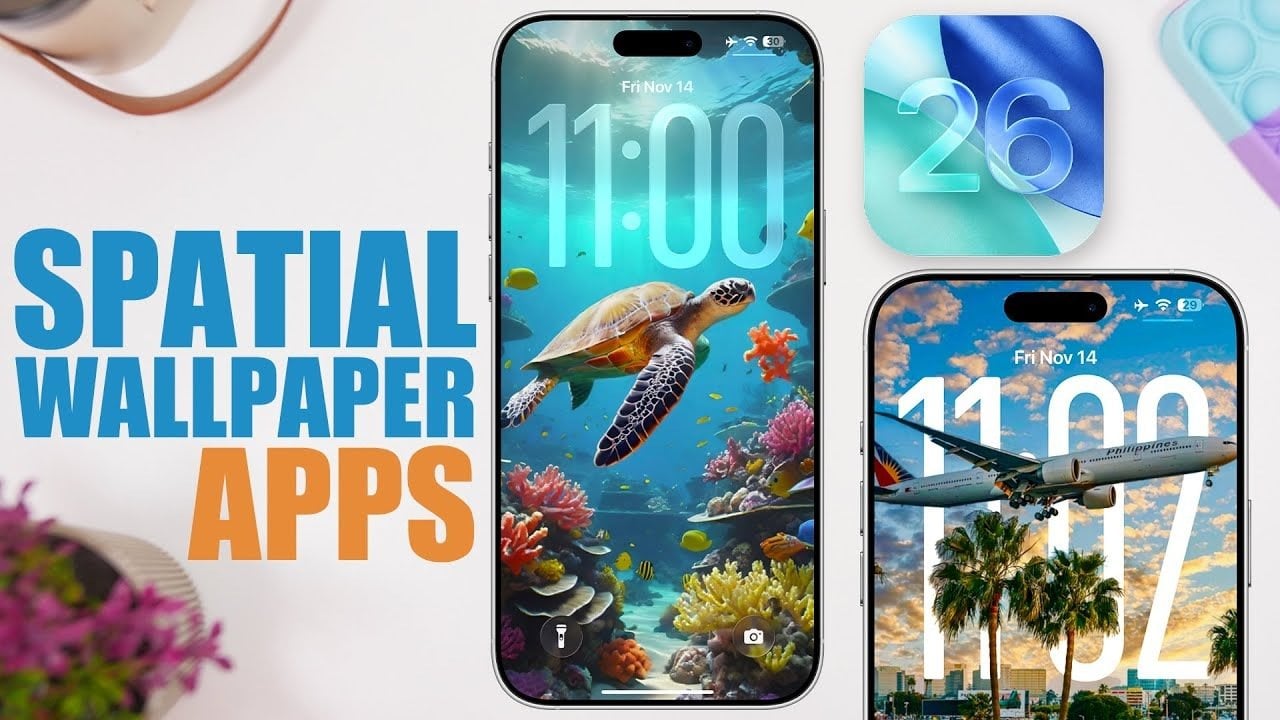
Discover the world of iOS 26 wallpapers, a stunning feature that’s revolutionizing how you personalize your iPhone. Did you know that wallpapers can significantly enhance your device’s visual appeal? With the introduction of dynamic wallpapers in iOS 26, your lock screen can reflect your style like never before. These wallpapers respond to the motion of your device, providing a striking layered effect that captures attention. By selecting the right wallpapers, you can transform your iPhone into a unique expression of yourself. Get ready to explore how to enhance your device’s aesthetics with iOS 26 wallpapers!
## The Evolution of Wallpapers in iOS 26
As we dive into the realm of iOS 26 wallpapers, it’s important to understand the role of spatial wallpapers in enhancing user experience. These wallpapers are not merely static images; they interact with your movements. The depth effect provides a captivating visual layer that makes your lock screen look alive. Whether you’re navigating through notifications or glancing at the time, spatial wallpapers offer an engaging and enjoyable interaction.
In order to achieve the best effect, choose wallpapers that center on a clear subject. This could be anything from a scenic landscape to a striking abstract art piece. By doing so, you ensure that the dynamic features of your iPhone are fully exploited, creating an immersive experience that is sure to impress.
## Top Apps for Downloading iOS 26 Wallpapers
Finding the perfect iOS 26 wallpapers requires reliable apps that specialize in quality designs. Here are some highly recommended options that cater to all your wallpaper needs:
- My Screen: A free app offering diverse categories, including the popular “Fluid Time” collection. Ideal for those wanting cost-effective options.
- Wallpaper X: This app shines with its liquid glass designs that keep your aesthetic fresh, featuring jumbled collections of various styles.
- Wall Bite: Known for focusing on wallpapers with a clear subject, it guarantees premium quality designs that align perfectly with the spatial effects of iOS 26.
- Wallcraft: An extensive library allows for customization in cropping and previewing designs, ensuring compatibility with lock screens.
- Wallpaper Central: Redesigned for iOS 26, it boasts a collection of liquid glass and depth-effect wallpapers.
These apps enhance the search for visually appealing and interactive wallpapers, making it easy for users to find something that resonates with their personal style.
## Online Platforms for Spatial Wallpapers
Beyond dedicated apps, there are several online platforms where you can discover stunning iOS 26 wallpapers. If you’re looking for an expansive selection, these resources will guide you to the perfect choice:
- X (formerly Twitter): Many accounts regularly share high-resolution wallpapers compatible with iOS 26’s spatial effects. By following these accounts, you’ll have a constant stream of fresh options.
- Reddit Subreddits: Communities like r/DepthEffectWallpapers and r/iPhoneWallpapers include user-submitted designs tailored for iOS 26, updated continuously with helpful tips.
These platforms not only offer visually appealing options but also provide a community aspect that enhances the wallpaper-searching experience.
## Tips for Selecting the Ideal Spatial Wallpapers
When diving into the world of iOS 26 wallpapers, choosing the right one can be key to maximizing your device’s potential. Here are some helpful tips:
- Select wallpapers with a clear central focus to create a more effective spatial effect.
- Avoid overly complex or abstract designs that may dilute the depth experience.
- Preview the wallpaper on your lock screen to ensure compatibility with the dynamic feature.
- Experiment with different designs until you find a style that resonates with your tastes and complements the functionality of your device.
Being deliberate in your selection of wallpapers can result in an immersive experience, showcasing the unique capabilities of iOS 26.
## Personalize Your Device with iOS 26 Wallpapers
By leveraging the innovative iOS 26 wallpapers, you can significantly enhance the aesthetic appeal of your iPhone. Explore dedicated apps like My Screen and Wallpaper X and community-driven platforms for a vast selection of quality designs. When focusing on wallpapers with clear central subjects, you can truly take advantage of the spatial features enriching your lock screen.
For further insights into customizing your iPhone experience, why not check out related discussions? As explored in our analysis of iOS 26 features and the key reasons to wait before upgrading, each topic contributes to a fuller understanding of maximizing your device’s capabilities.
To deepen this topic, check our detailed analyses on Gadgets & Devices section