
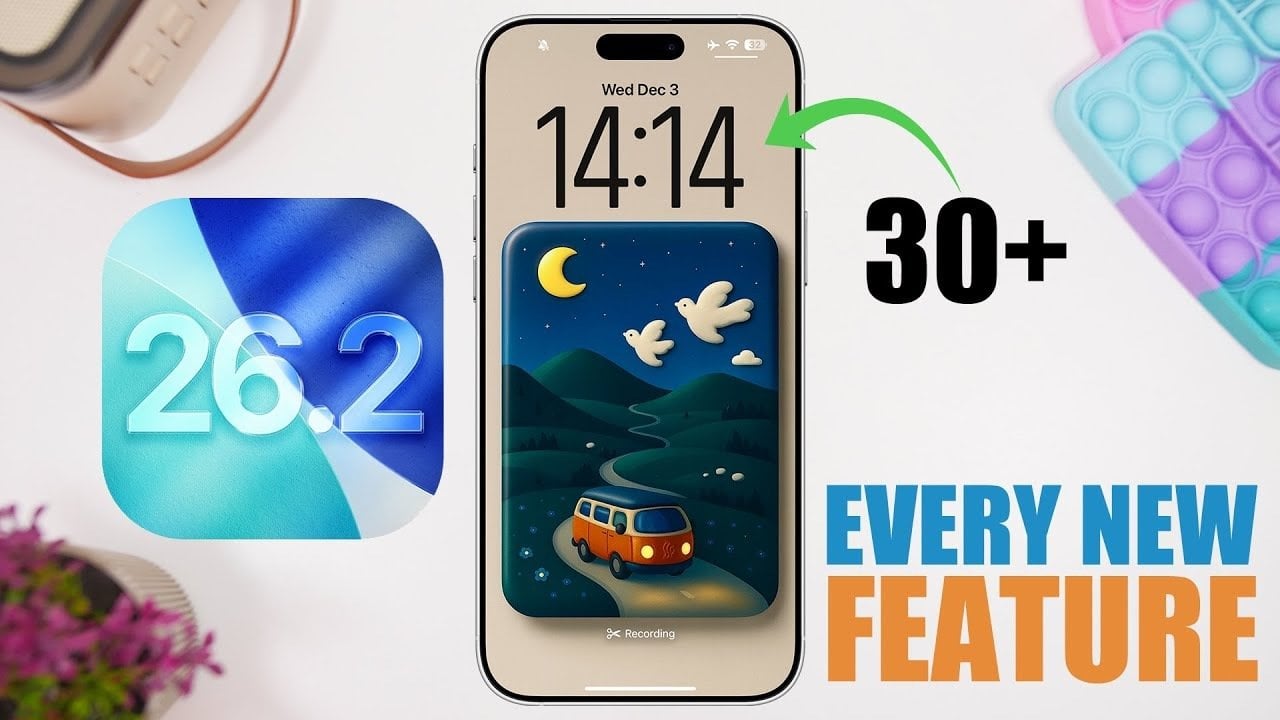
As technology continues to evolve, staying updated with the latest features can significantly enhance your user experience. With the arrival of iOS 26.2 features, Apple users can look forward to a host of improvements designed to enhance usability, accessibility, and personalization. This version introduces over 30 new features, making it one of the most comprehensive updates in recent history. Whether you’re interested in interface design, app functionality, or region-specific tools, there’s something for everyone. In this article, we’ll dive deep into the most impactful changes and explore how they can elevate your overall user experience.
Exploring the Revamped Visual Experience of iOS 26.2 Features
One of the standout aspects of the iOS 26.2 features is the revamped lock screen and notification center. The introduction of a liquid glass design creates a modern aesthetic that is not only visually appealing but also enhances usability. The clock now features an adjustable translucent effect, seamlessly integrating form and function. This striking update allows users to interact with notifications and settings with greater ease, making daily tasks more manageable.
Moreover, this version brings smoother animations that enrich overall navigation. Previews from WWDC 2025 showcased a suite of new animations that make transitions between tasks feel more fluid. This emphasis on detail reinforces Apple’s commitment to creating a more immersive experience, allowing users to enjoy their devices like never before.
Enhanced Functionality in Core Apps
iOS 26.2 features significant updates to several core apps, which can simplify workflows and increase productivity. For instance, the Reminders app now includes an urgent button that enables users to set alarms for critical tasks, ensuring that important reminders never go unnoticed. Users can also mark reminders as complete directly from alarm notifications, streamlining task management.
In addition, the AirDrop function introduces a new 30-day pin feature for temporary file sharing with non-contacts, greatly expanding its versatility. Meanwhile, enhanced features in Podcasts provide autogenerated chapters for easier navigation and allow mentions to link directly to profiles or related content. Apple Music users will appreciate offline lyrics available for downloaded songs, enhancing the off-the-grid listening experience.
For gamers, updates to the Games app offer new sorting options and filters, enhancing library management. The Freeform app now allows for the addition of customizable tables to projects, which provides greater flexibility in organizing information. All these updates contribute to a more user-friendly and efficient interface.
Prioritizing Accessibility with iOS 26.2 Features
Apple consistently prioritizes accessibility, and the latest iOS 26.2 features reinforce this commitment. Flash alerts improve notifications for users with hearing impairments by triggering screen flashes or flashlight blinks. The new password management feature grants users better control over which websites are excluded from password prompts, enhancing security.
The Display & Brightness settings now include liquid glass adjustments, offering users the choice for a sleek appearance without compromising functionality. Additionally, enhanced safety alerts keep users informed about critical updates, demonstrating Apple’s dedication to user safety and security.
Localized Features for Enhanced Usability
In recognizing the diverse needs of its global user base, iOS 26.2 introduces region-specific features. For users in the EU, AirPods Pro now support live translation, facilitating real-time communication across languages. In Japan, the update allows access to third-party app stores and the selection of default search engines upon first launching Safari, providing increased flexibility and choice.
These tailored updates reflect Apple’s commitment to localization, ensuring that users worldwide can benefit uniquely from each new release. The enhancements in accessibility and localization demonstrate a thoughtful approach to product design, prioritizing user experience on various fronts.
Conclusion: A Comprehensive Update for Every User
Overall, iOS 26.2 features represent a significant leap forward in Apple’s mission to refine its operating system continually. From the visually stunning liquid glass effect to practical enhancements across core applications and accessibility features, this update caters to the diverse needs of users everywhere. By incorporating regional preferences and enhancing app functionality, Apple reaffirms its commitment to innovation in technology. Whether you are exploring the revamped features, utilizing region-specific tools, or enjoying enhanced animations, iOS 26.2 is designed to deliver a more personalized and efficient experience for all users.
For additional insights and detailed analyses on related topics, explore further resources such as the features you didn’t know your iPhone has and 15 hidden tools in your iPhone. Expand your knowledge, and make the most of your device with the latest features!
To deepen this topic, check our detailed analyses on Gadgets & Devices section



