In today’s fast-paced digital world, it can be incredibly frustrating to use an old Android device that struggles to keep up with your needs. Surprisingly, many users are unaware that a few simple adjustments can lead to a significant Android speed boost. Rather than splurging on the latest flagship model, you can revitalize your aging device with these easy steps. Maintaining your phone will not only extend its life but also improve its performance, often dramatically. Let’s explore how you can enhance your Android experience without emptying your wallet.
Effective Strategies for Android Speed Boost
Many Android users are oblivious to the fact that some settings adjustments and clean-up tasks can lead to an impressive Android speed boost. Below are several tested techniques that can bring your old device back to life:
Clear Unused Apps and Data
One of the quickest ways to improve your phone’s performance is by eliminating unused applications. Uninstall unnecessary apps that consume resources and clutter your phone. Not only does this reduce load times, but it also frees up valuable storage space. Follow these steps:
- Navigate to the Settings app.
- Select Apps or Applications.
- Identify apps that you haven’t used in a while and uninstall them.
Furthermore, clearing cache data from apps also contributes to the overall speed boost of your Android device. You can perform this by going to the same app settings menu and selecting “Clear Cache.” This action helps remove temporary files that can unnecessarily slow down your device.
Optimize Battery Settings
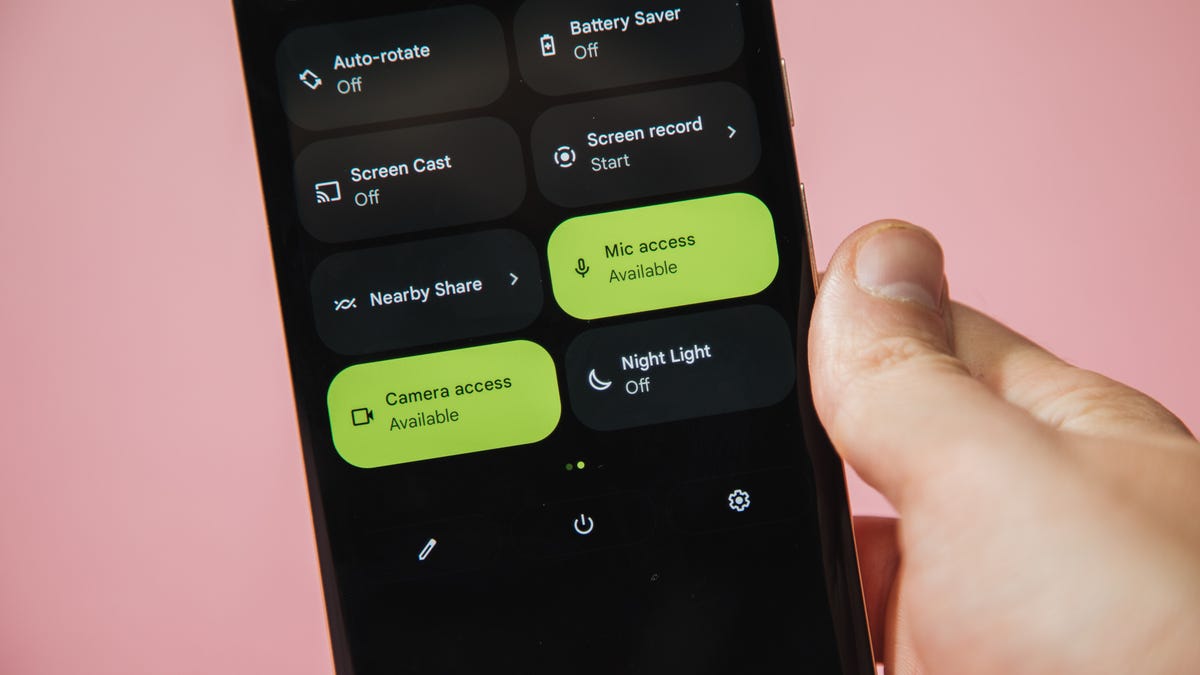
Battery optimization settings are crucial for enhancing your phone’s speed. Using features like Adaptive Battery not only conserves energy but also improves performance. Follow these steps to activate it:
- Open the Settings and select Battery.
- Activate Adaptive Battery, which learns your usage patterns and conserves power.
Battery optimization features will ensure that background processes do not drain your resources when you’re not using certain apps.
Advanced Tweaks for a Faster Android Experience
Update Your Software Regularly
Something as simple as keeping your operating system updated can have a major impact on performance. Software updates often include improvements and bug fixes that enhance speed. To check for updates:
- Go to Settings and tap on “System Updates.”
- If an update is available, make sure your device is charged or plugged in and follow the prompts to install the update.
Adopting this practice ensures that you benefit from the latest optimizations, making your phone not only faster but also more secure.
Switch to Dark Mode
For those unaware, utilizing Dark Mode can significantly enhance both battery life and speed, especially on OLED screens. Dark mode reduces power consumption, allowing for more efficient performance. You can enable dark mode by:
- Going to Settings and selecting Display.
- Finding the option for Dark Mode or Night Mode and enabling it.
This setting not only improves battery longevity but also provides a sleek look that many users appreciate.
Manage Home Screen Clutter
Your home screen is often filled with app icons, creating visual clutter. To boost your Android’s performance, manage this clutter by disabling the feature that adds app shortcuts automatically:
- Long-press on an empty area of the home screen and go to Settings.
- Disable the option to add icons automatically.
This will help maintain a clean interface and further speed up your device’s response time.
Conclusion: Experience Your Android Like New
With these simple tweaks and adjustments, you can significantly achieve an Android speed boost, breathing new life into your older device. For more valuable insights and enhancements, consider exploring methods to revive your Android thoroughly, as detailed in our guide on solutions to revive your device. With just a bit of attention, your Android can feel fresh and responsive again.
To deepen this topic, check our detailed analyses on Tech Tips & Tricks section.