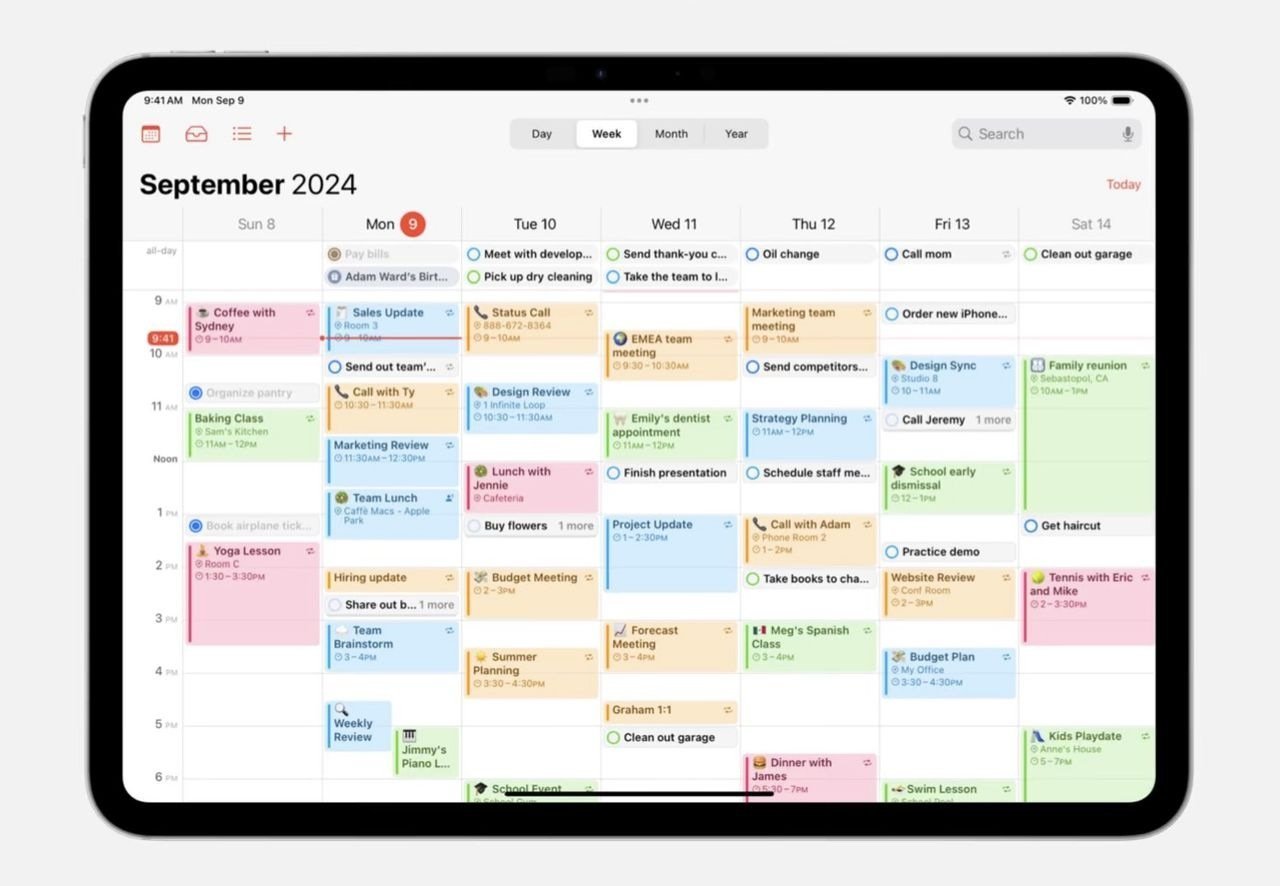
**Apple Calendar Hacks** can drastically improve your productivity and streamline your daily routine. By using the built-in features creatively, you can not only track your appointments but also manage your time more effectively. For instance, did you know that over 80% of Apple Calendar users have yet to explore advanced features that could enhance their experience? Many find themselves relying solely on basic scheduling; however, with a few clever hacks, you can transform how you utilize this powerful tool. This article will explore innovative ways to enhance your Apple Calendar experience, ensuring you never miss another appointment while maximizing your time. For additional insights on how technology can enhance your daily tasks, check out [10 Amazing Things You Can Do With Apple’s New AI System](https://www.forbes.com/sites/bernardmarr/2024/09/09/10-amazing-things-you-can-do-with-apple-intelligence-on-your-iphone/) for tips on integrating AI into your routine.
Customize Your Calendar Views for Better Clarity
One of the most effective Apple Calendar Hacks involves customizing your calendar views. You can choose from daily, weekly, or monthly views, depending on what best suits your planning needs. This flexibility allows you to visualize your commitments better and plan ahead efficiently. For instance, if you have several appointments in a day, switching to the daily view can help you allocate time more effectively. Additionally, utilizing color-coded events can differentiate between work, personal, and other activities, creating a visual map of your day. This method ensures you stay organized without feeling overwhelmed.
Utilize Siri to Add Events Seamlessly
Another impressive aspect of the Apple Calendar Hacks is the ability to use Siri for hands-free management. By simply saying, “Hey Siri, schedule a meeting for tomorrow at 3 PM,” you can create events quickly without lifting a finger. This feature not only saves time but also reduces the risk of input errors. Be sure to leverage Siri’s capabilities when you’re on the go or multitasking. For tips on optimizing Siri and other Apple tools, visit our article on essential Apple Notes tips and tricks.
📊 Key Features of Apple Calendar
- Integration with Other Apps: Sync events from various platforms
- Reminders and Alerts: Set reminders to stay on top of your commitments
Integrate with Other Apps for a Holistic Approach
Moreover, integrating your calendar with other productivity apps can create a holistic approach to managing your time. You can sync your calendar with services like Zoom, Google Meet, and project management tools like Trello or Asana. By doing this, your events automatically populate with relevant links and details, saving you the hassle of separate entries. This integration not only streamlines your workflow, it also keeps all necessary information accessible in one location.
Set Up Recurring Events for Consistency
A fantastic tip for regular commitments is to utilize the recurring events feature. This function lets you create a one-time event that repeats at specified intervals—daily, weekly, or monthly. It’s perfect for appointments like weekly team meetings or monthly check-ins. Setting these up not only saves time each week or month but also reduces the mental load of remembering these dates. Ensure you regularly review these recurring events to adjust as necessary to fit your evolving schedule.
Sync with Apple Watch for On-the-Go Access
If you have an Apple Watch, syncing your calendar offers seamless access to all your appointments. Your watch will alert you to upcoming events, reminders, and deadlines. This capability ensures you stay connected and informed without needing to check your phone constantly. Additionally, if you haven’t explored the newest capabilities of the Apple Watch, check out our article on the Apple Watch Ultra 3 for incredible features.
Key Takeaways and Final Thoughts
Incorporating these Apple Calendar Hacks into your routine can significantly enhance your efficiency and organization. From customizing views and using Siri to integrating with other applications, these tips will help you optimize your daily tasks. Stay informed with the latest updates and enhancements to Apple products by continually exploring reputable sources.
❓ Frequently Asked Questions
How can I customize my Apple Calendar?
You can customize your Apple Calendar by choosing preferred views, color-coding events, and integrating it with other apps to improve usability.
Can Siri help me manage my calendar?
Yes, you can use Siri to add events, set reminders, and check your schedule, enhancing your hands-free experience.
To deepen this topic, check our detailed analyses on Gadgets & Devices section